Unzipping folders in Windows
A zipped folder is a compressed folder that can contain one or more files. Before you can use the files normally, you may need to unzip, or extract, the folder.
Steps to Unzip a Folder in Windows
Locate the zipped folder
Find the zipped folder on your computer. It usually has a zipper icon and may end in .zip .
Typically files are downloaded into the "Downloads" folder.

Right-click the zipped folder
Right-click the file you want to unzip.
Select “Extract All”
From the menu, click Extract All.

Choose where to save the files
Windows will suggest a location for the extracted files. You can keep the suggested location or click Browse to choose a different folder.
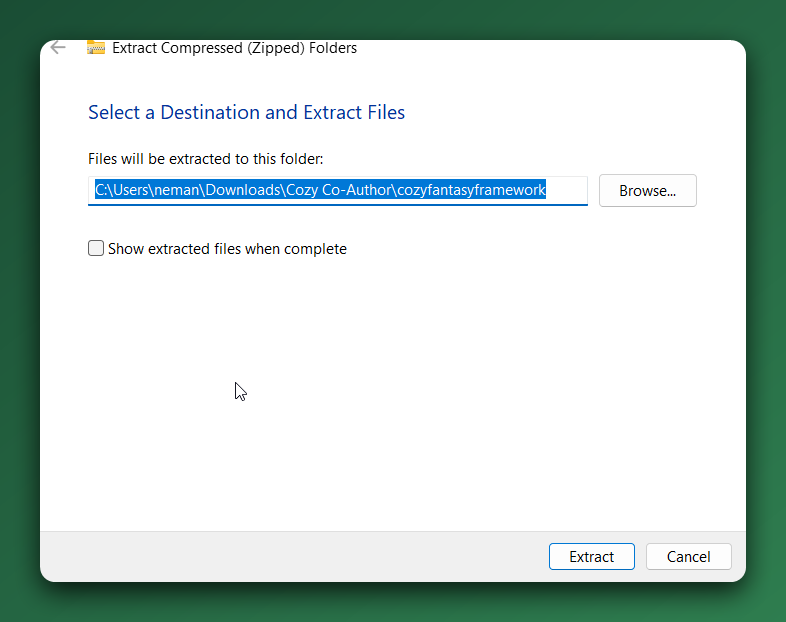
Click “Extract”
Click Extract to unzip the folder.
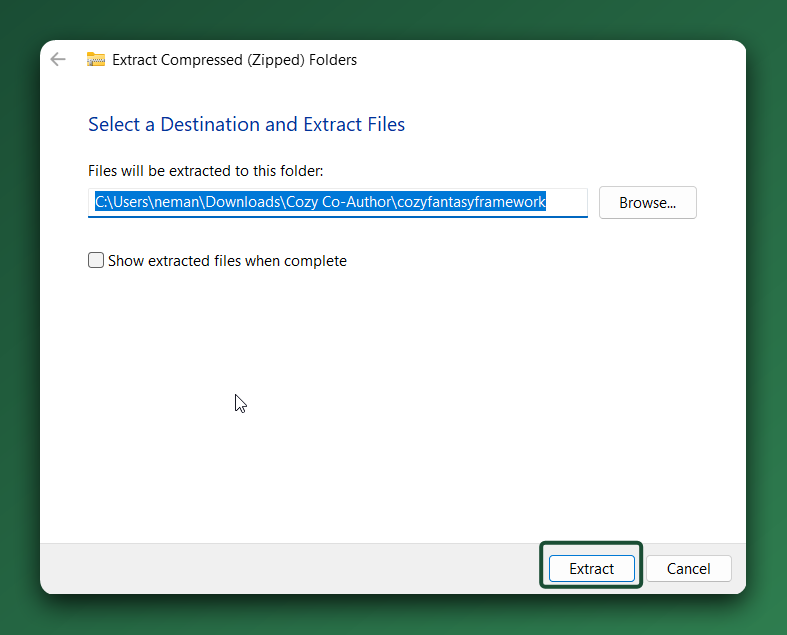
Open the extracted folder
Once the process is complete, Windows will open the extracted folder automatically, or you can open it from the location you selected.
Need more help?
|
Response Times Monday – Friday: We typically reply within 24 hours.
|