Sudoku Maker 1.2 Update — Fix Installation Issues with a Clean Reinstall (recommended)
If you're running into errors updating to Sudoku Maker 1.2, the fix is a quick clean reinstall. The old version leaves behind config files that can conflict with the new release — removing them resolves the issue.
Total time: about 3–5 minutes.
Step 1: Uninstall Sudoku Maker
- Open Windows Settings → Apps
- Find Sudoku Maker in the list
- Click Uninstall and follow the prompts
Step 2: Remove leftover files
Press Windows Key + R to open the Run dialog.
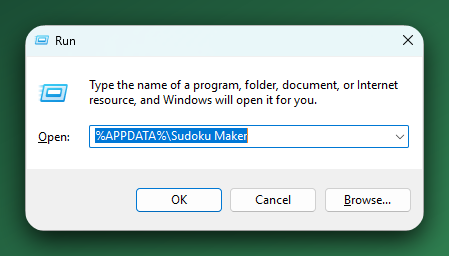
Type each path below one at a time, press Enter, and it will take tyou to the folder in Explorer:
%APPDATA%\Sudoku Maker%LOCALAPPDATA%\Sudoku Maker%LOCALAPPDATA%\com.sudokumaker.app
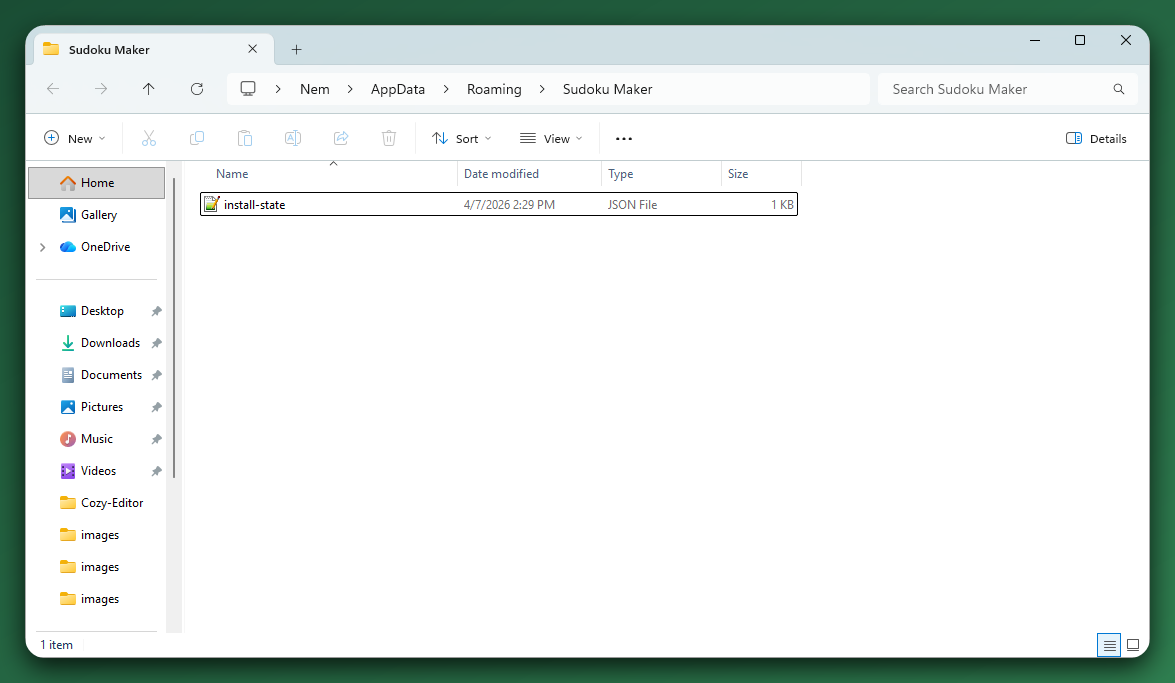
Delete the Sudoku Maker folder ONLY.
Note: It's normal if one or two of these folders don't exist — just move on to the next one.
Step 3: Install fresh
- Run the Sudoku Maker installer you downloaded
- If you own Sudoku Maker Pro, install only Sudoku Maker Pro — you do not need to install the base version alongside it
Still running into issues?
If 1.2 keeps giving you trouble after a clean reinstall, you can roll back to version 1.1 from the membership site while we sort it out.
- Sign in to your account at members.thecopyviking.com
- Open your Sudoku Maker (or Sudoku Maker Pro) download page
- Below the 1.2 download buttons, click the Need version 1.1? toggle

- Download the 1.1 installer for your platform — Windows, Mac (Apple Silicon), or Mac (Intel)
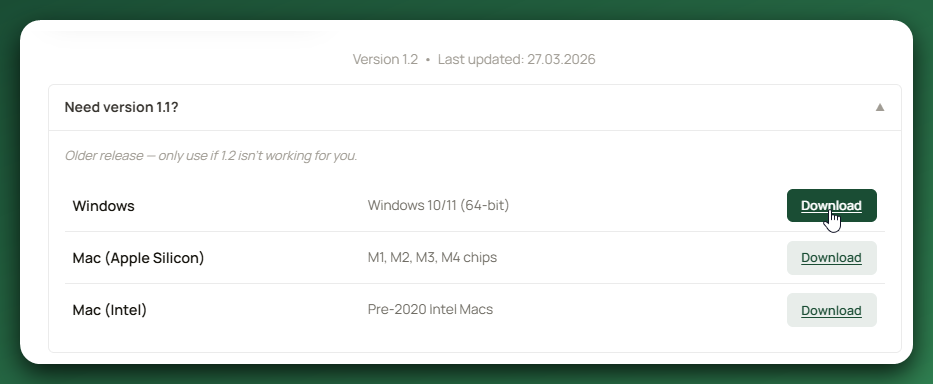
1.1 is the previous stable release and will keep you working in the meantime. Once we've nailed down what's causing the conflict for your setup, you can update to 1.2 again.
If you've tried both versions and you're still stuck, reach out to support and we'll help you directly.
|
Response Times Monday – Friday: We typically reply within 24 hours.
|